Well, that was a bit of work. I have finally got the AR4-MK3 robotic arm working using ROS-2! For this I’m using Windows Subsystem for Linux (WSL), attaching the serial port to WSL, launching the AR4 driver, and bringing up RVIZ. I’ve graphically programmed some movements, so there’s not a lot of functionality now. However, this is the step that leads to manifold possibilities in the future! Successful calibration, and moving to a pose goal are the fundamental steps needed for every other goal. The next step will probably be utilizing or writing a package/node to control the arm using a controller, and then from there having the robot go through a few planned poses. I may end up revisiting one of my projects from my undergrad where I had a simulated ABB arm move to various poses using OpenCV and python. For now though, here’s what I had to do to get it calibrated and commissioned:
Calibration Issues
I had the darndest time getting the robot to get calibrated correctly. I was experiencing behavior that was both intermittent, and wrong. I thought perhaps I had a loose connection on one of my limit switches, but it turns out that in various positions, the lower 3d-printed bump stop for the arm would push against the limit switch, causing it to read that it was pressed. To figure this out, I took excerpts from Y. Cheng’s scripts, and read the serial output from the AR4’s controller (a teensy microcontroller). Using this, I determined that the intermittently pushing against the limit was one problem. Next was correcting the directionality issue that I identified using RVIZ to make sure that my encoders were reading the correct directions. For that I powered on the robot, and moved each joint in a direction, and watched for the correct movement in the GUI. I only had to flip 2 joints for this to be correct. Finally, the calibration direction for two of the joints (different joints, surprisingly enough) were inverted, and so when I flipped those, I was able to get everything working correctly for calibration!
Launching RVIZ in WSL
Quickly, I wanted to detail my process for launching RVIZ in WSL here, because this is kind of a niche topic, which might help people in my same situation. Once everything is installed, here is my process to go from my windows desktop with nothing, to running ROS-2 with the arm.
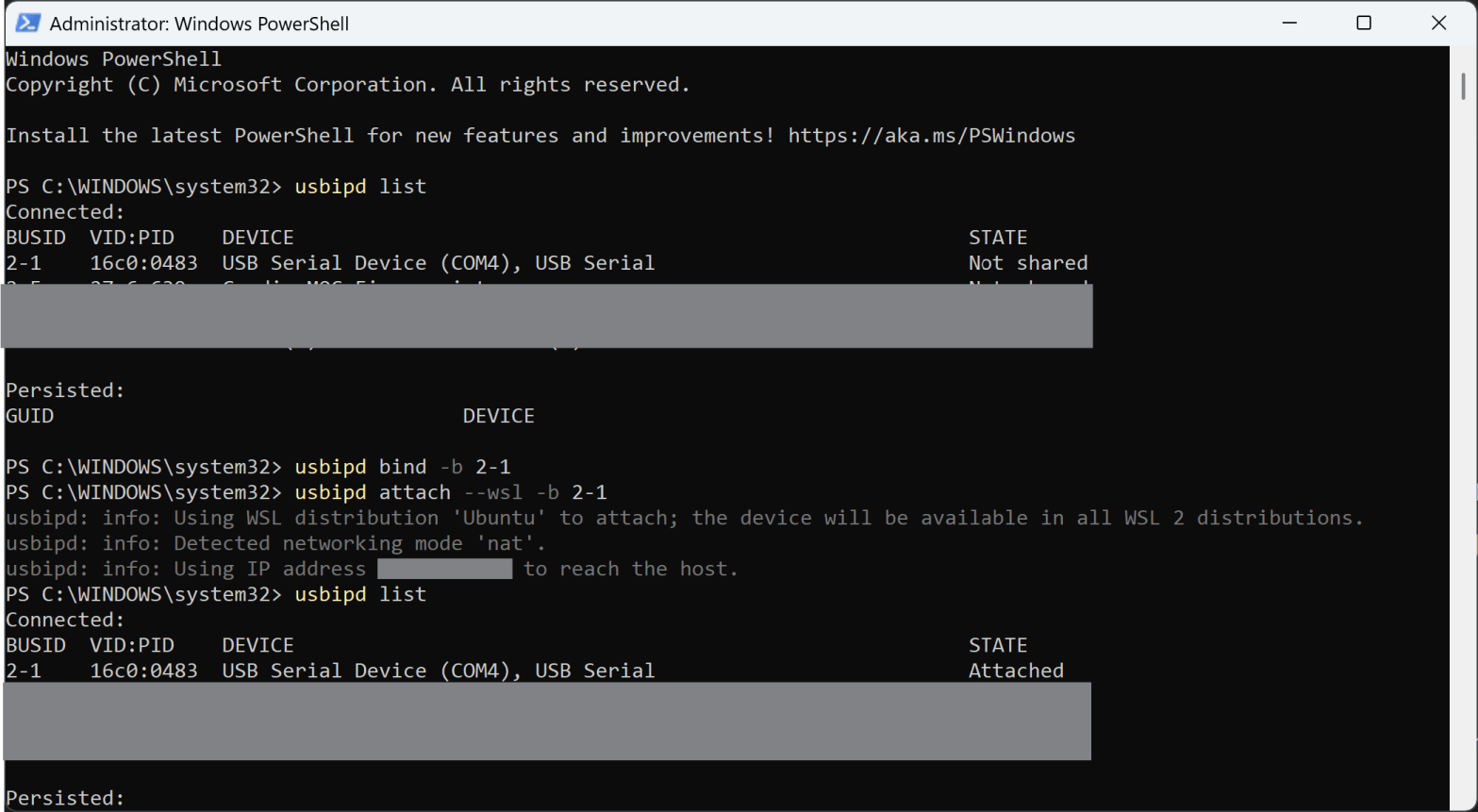
First, I get two powershells and launch WSL. I launch one more powershell with administrator privileges. In the windows admin, I bind the USB ports to WSL using the following. For your implementation, take the correct usb busid, identified using “usbipd list”.
usbipd list
usbipd bind --busid 2-1
usbipd attach --wsl --busid 2-1 
Next, I transition over to WSL, and cd into my project, and source the bash file.
cd ~/ros2_ws/ar4
source install/setup.bash
Additionally, for the RVIZ terminal, I ensure that I’m exporting my graphics so that I can use RVIZ. This graphics issue at this link.
export DISPLAY=:0Finally, I launch the driver in one terminal and RVIZ in the other! There are a few options you can add from Y. Cheng’s scripts for calibration, including the gripper end-effector, and selecting the correct serial port.
ros2 launch annin_ar4_driver driver.launch.pyros2 launch annin_ar4_config moveit.launch.pyVery excited for the next steps, but I predict they might come slow with all the other things I have plotted right now. The weather is changing, which means I will be able to put the finishing touches on the eSprite project, and start driving it around!
I acknowledge the lack of pictures for this post is rather disappointing, but I’m trying to practice a bit more OPSEC, and my workspace is rather cluttered with PII at the moment… I’ll come back here with a good representation soon.
 Lombardi Engineering